
How to Make a Free Website in Just 10 Minutes (2026 Guide)
Posted on
Web Design
Posted at
How to Make a Free Website in Just 10 Minutes (2026 Complete Guide)
In 2026, creating a website is no longer a technical task reserved for developers. It is a strategic move — one that anyone with an internet connection can execute in minutes.
The biggest shift over the last few years has not been design trends or hosting speed. It has been automation. Artificial intelligence, no-code systems, and integrated hosting environments have completely eliminated the traditional friction of website creation. What used to take weeks — buying hosting, installing themes, configuring plugins — now takes less time than ordering a coffee.
Today, you can create a free website in 10 minutes using an AI website builder that handles structure, layout, and even content suggestions automatically. The promise to build a website for free in minutes is no longer marketing hype — it’s a practical reality powered by automation.
If you are a student building your first portfolio, a freelancer looking for clients, a startup validating an idea, or a local business trying to appear on Google, this guide will walk you through exactly how to make a free website fast — and more importantly, how to make it effective.
Whether you're using an AI website builder free 10 minutes setup, or a traditional no-code platform with instant templates, the process has been simplified to the point where technical knowledge is no longer required. With a free website builder with instant setup, the heavy lifting is done before you even start customizing.
The 2026 Website Revolution: Why It’s Now So Easy
The modern website builder is no longer just a drag-and-drop tool. Platforms like Wix, Framer, WordPress.com, Webflow, and Google Sites have integrated AI engines that think through structure before you even touch a design element.
When you begin creating a website today, you are typically asked a few simple questions:
What type of business or project is this?
What is your primary goal — leads, sales, portfolio, blog?
Who is your audience?
Which country are you targeting?
Within seconds, the system generates a fully structured website. Not just a homepage, but an intelligent flow — navigation, content hierarchy, mobile layout, and even SEO settings. This is exactly why you can now create a free website in 10 minutes without coding or design experience.
You are no longer building from scratch. You are refining a draft created by AI — adjusting text, swapping images, and aligning the site with your brand voice.
This shift toward AI website builder free 10 minutes solutions is what defines the 2026 website revolution.
Understanding What “Free” Really Means
Before moving into the practical steps, it’s important to clarify expectations. When you build a website for free in minutes, most platforms include:
Free hosting
A subdomain (for example: yourbrand.platformname.com)
SSL security
Mobile responsiveness
Basic SEO controls
This makes it possible to make a free website fast without upfront investment.
What you may not get on free plans:
A custom domain
Removal of platform branding
Advanced analytics
E-commerce features (sometimes limited)
However, for beginners, validation projects, startups testing MVPs, and personal branding — a free website builder with instant setup is more than sufficient.
Many successful freelancers, creators, and small businesses started by choosing to create a free website in 10 minutes, then upgraded only after revenue began flowing.
In 2026, starting free is no longer a limitation — it’s a strategic first step.
The Psychology of a 10-Minute Website
Here’s the truth: the hardest part of building a website is not the design. It’s decision-making.
When people say it takes months to build a website, what they often mean is that it takes months to decide what to say.
The 10-minute method works because it eliminates perfectionism. Instead of obsessing over colors and animations, you focus on clarity:
What do I offer?
Who is it for?
How can someone contact me?
When those three questions are answered clearly, a website becomes simple.
The Exact 10-Minute Process (Explained in Depth)
Let’s walk through this realistically.
Minute 1–2: Choosing the Right Platform
Your platform choice should match your goal.
If you are a complete beginner who wants simplicity, Wix is ideal because its AI assistant builds almost everything for you.
If you are launching a startup or SaaS landing page and want a clean, modern aesthetic, Framer offers visually impressive templates with strong typography.
If your goal is blogging and long-term content marketing, WordPress.com provides a structured publishing system.
Designers who want more layout control may prefer Webflow.
For ultra-simple internal or student projects, Google Sites is sufficient.
The key is not to overthink this decision. Choose based on your immediate goal, not long-term perfection.
Minute 3–5: Let AI Build the First Draft
This is where the magic happens.
Instead of selecting a blank template, choose the AI website generator option. After answering a few questions, your site appears almost instantly.
What’s important here is restraint.
Do not start redesigning everything. Instead:
Replace the business name
Adjust the headline
Upload your profile image
Modify service descriptions
Think of the AI output as a first draft created by a junior designer. You are the editor.
Minute 6–7: Structuring Your Homepage for Conversion
A strong homepage in 2026 still follows timeless principles.
It begins with a clear headline that explains what you do and for whom. Not clever. Clear.
For example:
“Affordable Digital Marketing Training for Students in India”
Underneath, a supporting line builds trust or outcome clarity.
Then comes a clear call-to-action. Not multiple buttons. One primary action.
Below that, briefly explain your services or value proposition. Add testimonials if available. End with contact information.
This structure works because it respects attention span. Users decide within seconds whether to scroll.
Minute 8–9: SEO Configuration
Even free websites can rank on search engines when optimized correctly.
Go into your settings and edit:
Page title
Meta description
URL slug
Social share preview
Avoid generic titles like “Home.” Replace them with descriptive phrases.
For example:
“Graphic Design Portfolio | John Doe”
If you are targeting a city, include it naturally:
“Website Designer in Gandhinagar”
This helps with local search visibility.
Minute 10: Publish and Test
Publishing is often anticlimactic. One button, and you’re live.
Immediately after publishing:
Open your site on mobile
Click every link
Test contact forms
Check loading speed
The goal is not perfection. The goal is functionality.
🏆 Top 10 Website Builders in 2026
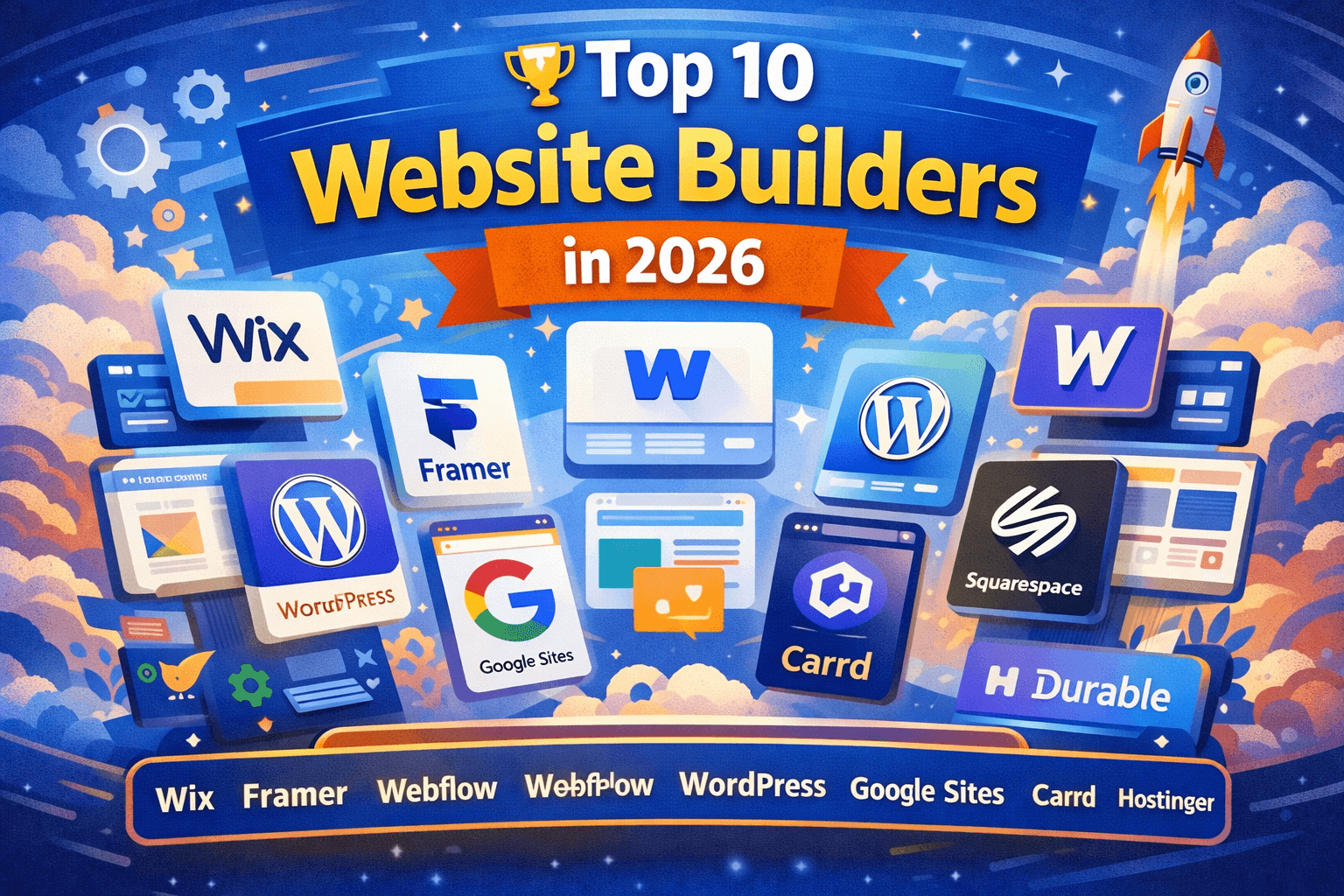
In 2026, building a professional website no longer requires coding expertise or heavy budgets. The rise of AI-enabled no-code platforms has made it possible for individuals, freelancers, entrepreneurs, and businesses of all sizes to launch visually stunning, mobile-optimized, and SEO-ready websites in minutes. The following are the top 10 website builders that dominate the landscape this year — chosen based on usability, features, scalability, AI support, SEO capabilities, and overall performance.
1️⃣ Wix
Wix continues to be a leading choice for beginners and small businesses due to its intuitive drag-and-drop editor, powerful AI website generator, and extensive template library.
Best For: Small businesses, personal sites, portfolios
Key Strengths:
AI Site Creator (Wix ADI)
Built-in SEO tools
App Market integrations
E-commerce support on paid plans
Strong mobile optimization
Wix appeals to users who want creative control without technical complexity. Its AI generator can produce a complete site layout based on simple business details — a standout feature in 2026.
2️⃣ Framer
Framer is rapidly gaining traction as a modern design-centric platform. Initially popular with startups and designers, Framer’s AI features and visual flexibility now rival traditional no-code builders.
Best For: Tech startups, modern brand sites, SaaS landing pages
Key Strengths:
Pixel-perfect layout control
Dynamic content & CMS options
Fast load speed
Clean design aesthetics
Simplified SEO settings
Framer bridges the gap between visual design and performance — ideal for businesses that care about both form and function.
3️⃣ Webflow
Webflow remains the top choice for designers and advanced users who seek complete layout control combined with production-ready code.
Best For: Designers, developers, agencies
Key Strengths:
Deep visual styling options
Custom animations
Advanced CMS capabilities
Built-in SEO tools
High performance output
Webflow is not the simplest builder, but its design power makes it indispensable for professional portfolios and custom projects.
4️⃣ WordPress.com
WordPress.com remains a dominant content management system with robust blogging and publishing tools. In 2026, it’s also infused with AI block builders and template enhancements.
Best For: Blogs, content-heavy sites, publishers
Key Strengths:
Powerful content management
AI-enhanced editing (block editor)
SEO plugins & integrations
Endless customization options
Strong community ecosystem
WordPress.com balances powerful content tools with accessibility, making it ideal for long-form content and authority building.
5️⃣ Google Sites
Google Sites is one of the simplest tools on this list. It’s free, fast, and integrates seamlessly with Google Workspace.
Best For: Students, internal sites, quick project pages
Key Strengths:
Free and easy
Google ecosystem integrations
No coding required
Perfect for simple layouts
While limited in advanced features, Google Sites is perfect for quick informational sites.
6️⃣ Squarespace
Squarespace has evolved into a complete website and brand suite with elegant templates, e-commerce, and built-in marketing features.
Best For: Creative brands, photographers, boutiques
Key Strengths:
Beautiful design templates
Strong integrated commerce tools
Built-in analytics
Email campaigns and marketing tools
Squarespace is known for striking visual aesthetics and brand-focused functionality.
7️⃣ Carrd
Carrd specializes in ultra-lightweight, single-page websites. Its simplicity and speed make it ideal for personal landing pages, portfolios, and micro-sites.
Best For: Personal landing pages, micro-sites
Key Strengths:
Extremely simple setup
Fast performance
Minimal, modern templates
Carrd proves that powerful simplicity still has a place in 2026.
8️⃣ Shopify (Online Store Builder)
Shopify is positioned here as a website builder for e-commerce businesses. While traditionally focused on online stores, its drag-and-drop themes and AI tools make Shopify a strong choice for brands looking to sell online quickly.
Best For: E-commerce brands, retail businesses
Key Strengths:
Built-in payments
Inventory management
Marketing tools
App ecosystem
For product sellers, Shopify combines website building with robust commerce infrastructure.
9️⃣ Hostinger Website Builder
Hostinger offers an intuitive AI builder that combines hosting and site creation into a single experience. It’s particularly attractive for budget-conscious users.
Best For: Budget small businesses
Key Strengths:
AI-guided setup
Affordable hosting + website combo
Built-in SEO tools
Free SSL
This makes it ideal for first-time business owners who want a website + hosting in one package.
🔟 Durable AI Website Builder
Durable represents the new wave of AI-first systems designed to create a complete business website from a handful of inputs.
Best For: Rapid business website generation
Key Strengths:
30-second site creation
AI content writing included
Lead collection and CRM features
Automatic SEO suggestions
Durable exemplifies how far automated website creation has evolved — no template browsing, no drag-and-drop layouts — just answer a few questions and launch.
Comparison Table: Best Free Website Builders (2026)
Platform | AI Builder | Ease of Use | Best For | Free Plan Includes | Custom Domain | Ads on Free Plan |
|---|---|---|---|---|---|---|
Wix | Yes (Advanced) | Very Easy | Beginners, Small Businesses | Hosting, SSL, Templates | Paid Only | Yes |
Framer | Yes (Modern AI) | Easy | Startups, SaaS | Hosting, Clean Templates | Paid Only | Small Branding |
WordPress.com | Limited | Moderate | Bloggers | Hosting, Blog Tools | Paid Only | Yes |
Webflow | Limited | Advanced | Designers | Hosting, CMS | Paid Only | Yes |
Google Sites | No | Very Easy | Students, Internal Use | Hosting, Basic Templates | Limited | No |
Free vs Paid Website Comparison (Strategic View)
Feature | Free Website | Paid Website |
|---|---|---|
Domain | Subdomain (yourname.platform.com) | Custom Domain (yourbrand.com) |
Branding | Platform Branding | No Branding |
Storage | Limited | Higher Limits |
SEO Control | Basic | Advanced |
E-commerce | Limited/Not Available | Fully Supported |
Ads Removal | Not Available | Yes |
Professional Image | Moderate | High |
Best For | Testing, Learning, Portfolio | Scaling Business |
AI Website Builder vs Traditional Builder
Feature | AI Website Builder | Traditional Drag & Drop |
|---|---|---|
Setup Time | 2–5 Minutes | 1–3 Hours |
Design Creation | Auto-generated | Manual Selection |
Content Writing | AI-Generated | User Written |
SEO Setup | Semi-Automatic | Manual |
Customization | Moderate | High |
Best For | Beginners, Speed | Designers, Advanced Users |
CMS vs No-Code vs AI Builder (2026 Perspective)
Category | CMS (Example: WordPress) | No-Code Builder | AI Builder |
|---|---|---|---|
Technical Skill Needed | Medium | Low | Very Low |
Flexibility | Very High | Moderate | Moderate |
Setup Speed | Slow | Fast | Very Fast |
Maintenance | User Managed | Platform Managed | Fully Automated |
Best For | Content Authority Sites | Small Business Sites | Quick Launch, MVP |
Website Use Case Comparison
User Type | Recommended Platform | Goal | Upgrade Needed Later? |
|---|---|---|---|
Student | Google Sites / Wix | Portfolio | Optional |
Freelancer | Wix / Framer | Lead Generation | Yes |
Blogger | WordPress.com | Content Marketing | Yes |
Startup | Framer | MVP Landing Page | Yes |
Local Business | Wix | Local SEO | Recommended |
SEO Capability Comparison
SEO Feature | Wix | Framer | WordPress.com | Webflow |
|---|---|---|---|---|
Custom Meta Tags | Yes | Yes | Yes | Yes |
Sitemap | Auto | Auto | Auto | Auto |
Schema Support | Limited | Limited | Limited | Moderate |
Blog SEO | Good | Good | Excellent | Good |
Page Speed | Good | Very Good | Good | Excellent |
How to Make Your Free Website Look Professional
A free website only looks “free” when design is inconsistent.
Professional appearance comes from:
Limiting your color palette to 2–3 colors
Using consistent typography
Maintaining spacing and alignment
Avoiding clutter
Using high-quality images
Modern platforms already handle responsiveness and structure. Your responsibility is clarity.
SEO Strategy for Free Websites (Deep Dive)
There is a myth that free websites cannot rank on Google. This is incorrect.
Search engines prioritize:
Content relevance
User experience
Trust signals
Authority
Not whether you are paying for hosting.
To build authority:
Write helpful content.
Add a blog section.
Answer real questions.
Demonstrate expertise.
Google’s EEAT framework — Experience, Expertise, Authority, and Trust — applies regardless of plan type.
Add:
An author bio
Testimonials
Certifications
Real images
Clear contact details
These small signals increase credibility dramatically.
Free vs Paid: When to Upgrade
Free is ideal when:
You are testing an idea
You are building a portfolio
You are learning
You have no budget
Upgrade when:
You want a custom domain
You are running ads
You need advanced analytics
You want brand authority
Think of free as a launchpad. Paid is scaling infrastructure.
Use Case Scenarios :
Student
A student can create a personal portfolio showcasing projects, skills, and a downloadable resume. This dramatically increases internship chances compared to a PDF resume alone.
Freelancer
A freelancer can display services, case studies, testimonials, and a contact form. Even a simple one-page website builds more trust than a social media profile.
Startup Founder
An early-stage founder can launch a landing page explaining the problem, solution, and collecting email signups. This validates demand before building a product.
Local Business
A local business can list services, operating hours, location, and contact information. Combined with a Google Business Profile, this improves local visibility.
Monetization Potential
A free website can generate income through:
Affiliate marketing
Lead generation
Selling digital products
Consulting services
Online courses
The platform does not determine earning potential. Your offer does.
The Future of Free Websites (2026–2030)
The next phase of website evolution will include:
AI that updates content automatically
Real-time personalization
Voice-search optimized content
Built-in chatbot systems
Automatic SEO adjustments
The gap between free and paid functionality will continue shrinking.
Final Thoughts
The biggest obstacle to building a website in 2026 is not technology — it’s hesitation.
With modern AI website builders, intuitive no-code platforms, and fully integrated free website hosting, the technical barriers have practically disappeared. Whether you’re launching a small business website, a freelancer portfolio, a startup landing page, or a personal blog, the tools are already built for speed, automation, and simplicity.
You no longer need coding knowledge.
You no longer need to hire a web designer.
You no longer need a large development budget.
What you truly need is clarity — a clear value proposition, a defined target audience, and a strong call-to-action. When your message is clear, even a simple free website can become a powerful lead generation tool, personal branding asset, or SEO-friendly online presence.
In today’s digital-first economy, launching fast matters more than perfecting endlessly. A live, optimized website built with the right website builder is infinitely more valuable than a flawless draft that never gets published.
Start with a free website.
Leverage AI tools.
Optimize for SEO.
Upgrade when growth demands it.
Because in 2026, visibility wins — and visibility begins with publishing. 🚀