
Framer vs Webflow: Which Website Builder Is Better in 2027?
Posted on
Web Design
Posted at
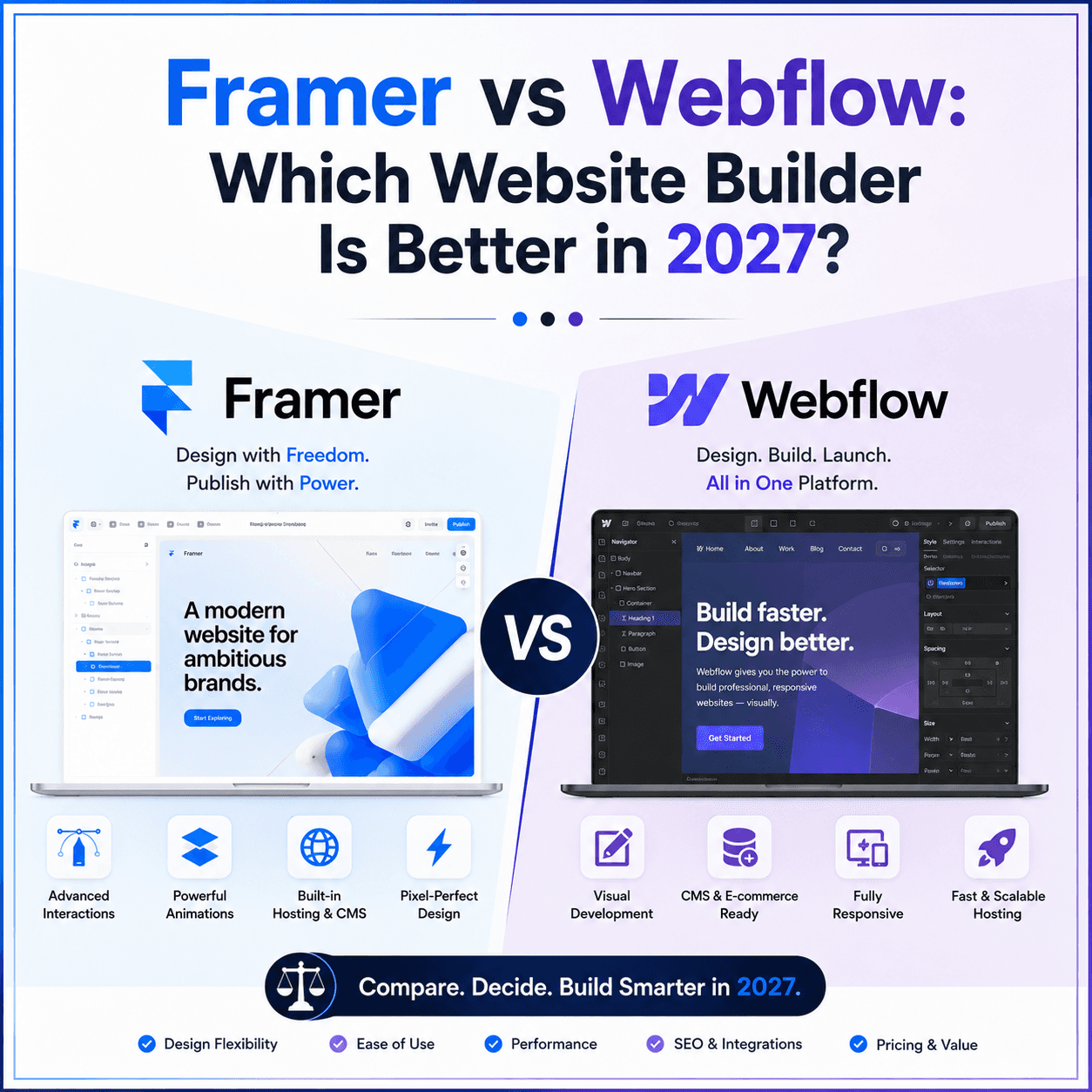
Framer vs Webflow: Which Website Builder Is Better in 2027?
A complete, no-nonsense comparison for founders, designers, marketers, and agencies choosing a modern website platform.
Table of Contents
Introduction
What Is Framer?
What Is Webflow?
Framer vs Webflow at a Glance
Detailed Feature Comparison
User Interface
Learning Curve
Design Flexibility
Templates
CMS Comparison
SEO Comparison
Website Performance
AI Features
CMS Scalability
Collaboration
Integrations
Security
Pricing Comparison
ROI Comparison
Best Platform by Use Case
Real-World Scenarios
Common Mistakes to Avoid
25 Expert Tips
FAQs
Final Verdict & Decision Matrix
Introduction
Choosing a website platform used to be a fairly low-stakes decision. You picked something that let you publish pages, added a template, and moved on. That calculus has changed. In 2027, your website builder decides how fast your team ships, how well AI search engines and Google can parse your content, how your Core Web Vitals score, and ultimately how much revenue your site can generate before you outgrow it.
Framer and Webflow have emerged as the two dominant "professional no-code" platforms — the tools designers, startups, and agencies reach for when WordPress feels bloated and Squarespace or Wix feel too limited. Both let you visually design a production website with real HTML, CSS, and JavaScript output instead of a page-builder plugin stack. Both ship a CMS, both host your site, and both have leaned hard into AI-assisted design over the past two years.
But they are not interchangeable. Framer grew out of a prototyping tool built by ex-Spotify designers and still carries that DNA: fast, animation-first, opinionated, increasingly AI-driven. Webflow grew out of a mission to "bring development to designers" and still carries that DNA too: deep control over the DOM, a mature CMS, and a large professional ecosystem of experts, apps, and enterprise features.
Common mistakes businesses make when choosing between them:
Picking based on which tool looks nicer in a YouTube demo rather than what their content model actually requires
Ignoring how the CMS will hold up at 500+ pages
Underestimating hidden costs — seats, bandwidth, add-ons, and localization fees
Assuming "no-code" means "no technical decisions"
Choosing without first mapping out SEO and Core Web Vitals requirements
This guide is built to answer the question properly — not with a verdict that "Framer is best" or "Webflow is best," but with a framework you can apply to your own business, budget, technical skill level, and growth plans. We'll cover pricing, SEO, performance, CMS depth, AI features, collaboration, integrations, security, and real-world use cases, then close with a decision matrix you can use immediately.
Key Takeaway: There is no universal winner. Framer tends to win on design speed, animation quality, and AI-assisted workflows for marketing sites and landing pages. Webflow tends to win on CMS depth, technical control, native e-commerce, and enterprise governance. The right choice depends on your content complexity and team structure, not brand loyalty.
What Is Framer?
Framer is a visual, no-code website builder and publishing platform that lets designers build production-ready, responsive websites using a canvas-based editor, without writing code (while still allowing custom code components for advanced users). It began life as a code-based prototyping tool for interaction designers, then evolved into a full website builder with hosting, a CMS, and AI features layered on top.
Overview and Evolution
Framer's origins as a prototyping tool explain a lot about how it feels to use today. The canvas is closer to a design tool like Figma than a traditional website builder — you place elements freely, use stacks (Framer's flex-box-like layout primitive) to keep things responsive, and preview interactions in real time. Over the past few years, Framer added a real CMS, real hosting infrastructure, a template marketplace, and — most significantly — a layer of AI agents that can generate entire pages, restructure CMS collections, write SEO metadata, and translate sites into other languages from a single prompt.
Key Features
Canvas-based visual editor with pixel-level control and Figma-like interaction patterns
Stacks and Layout Grid for responsive, breakpoint-aware design
Built-in CMS with collections, dynamic pages, and rich text fields
AI Agents (design, write, organize, analyze) that generate pages, layouts, and copy from prompts or screenshots
On-page editing for making live content updates directly in the browser
Component libraries and a Marketplace of templates, plugins, and interactive components built by the community
Built-in analytics, SEO controls, and one-click publishing
Code components and overrides for developers who want to extend beyond the visual layer
Best Use Cases
Framer shines for marketing sites, landing pages, SaaS homepages, portfolios, and agency sites where visual polish, motion design, and speed-to-launch matter more than a deeply structured content operation.
Advantages
Extremely fast to design in, especially for animation-heavy, visually distinctive layouts
AI agents meaningfully cut first-draft time for pages, copy, and layout
Clean, modern output that looks distinct rather than templated
Simple, approachable learning curve for designers coming from Figma
Limitations
CMS collection and item limits are more restrictive at lower tiers than Webflow's
No native e-commerce; commerce typically means embedding Shopify or a third-party checkout
Code export is not supported, which matters for teams who eventually want to leave the platform
Less mature ecosystem of freelancers, agencies, and enterprise tooling compared to Webflow
What Is Webflow?
Webflow is a visual web development platform that generates clean, semantic HTML, CSS, and JavaScript from a canvas-based editor, paired with a robust CMS, native hosting, and an interactions/animations engine. It's often described as "Photoshop for the browser" because it exposes real CSS properties (Flexbox, Grid, custom classes) rather than abstracting them away entirely.
Overview and Evolution
Webflow launched with a clear thesis: designers should be able to build real websites without waiting on developers to translate their mockups into code. That positioning made it the go-to tool for agencies and freelancers building client sites, and it has since expanded into a genuine CMS platform, an e-commerce platform, and — with recent updates — an enterprise-grade content operations suite with localization, AI content agents, and governance controls for large marketing teams.
Key Features
Canvas + class-based styling system that mirrors real CSS, giving granular control over every element
CMS Collections with relational fields, multi-reference content, and support for large content libraries
Interactions and animations engine for scroll-triggered, hover, and page-transition effects
Native e-commerce with product collections, cart, checkout, and payment integrations
Components and shared libraries for design-system consistency across large sites
Code export on eligible Workspace plans, and custom code embeds throughout
Webflow Marketplace and App ecosystem, plus a large network of certified Webflow Experts
AI-assisted content and layout tools, along with localization and content governance add-ons for larger teams
Best Use Cases
Webflow is the stronger fit for content-heavy marketing sites, blogs, documentation-style knowledge bases, e-commerce storefronts, and any project that will eventually need multiple contributors, structured governance, or code export.
Advantages
CMS depth and flexibility outperform most no-code competitors, including Framer
Native e-commerce removes the need for a separate platform
Code export gives teams an exit ramp if they eventually migrate to a custom stack
Large talent pool of experienced Webflow Experts and agencies for hire
Mature enterprise features: SSO, SCIM, granular roles, audit logs
Limitations
Steeper learning curve, especially for non-designers who aren't familiar with CSS concepts like box model or specificity
Pricing is split across Site plans, Workspace plans, and per-seat costs, which makes total cost less obvious upfront
Building highly custom, animation-heavy layouts can take longer than in Framer
Can feel over-engineered for a simple five-page brochure site
Framer vs Webflow at a Glance
Category | Framer | Webflow |
|---|---|---|
Ease of use | Very high — Figma-like canvas | Moderate — CSS concepts required |
Learning curve | Days for designers | 1–3 weeks for non-developers |
Entry price (paid) | ~$10/mo (Basic, annual) | ~$15/mo (Basic Site, annual) |
CMS depth | Good, capped collections at lower tiers | Excellent, relational and scalable |
Native e-commerce | No (third-party embeds only) | Yes, built-in |
Templates | Strong, design-forward marketplace | Larger, more varied marketplace |
Hosting | Included, global CDN | Included, global CDN (Fastly-based) |
SEO controls | Strong, built-in | Strong, more granular for large sites |
Performance | Excellent for lightweight sites | Excellent, scales well with content |
AI features | Deep — AI agents across design, copy, CMS | Growing — AI content and layout tools |
Animations/interactions | Best-in-class, prototyping-grade | Excellent, more code-like control |
Code export | Not available | Available on eligible plans |
Collaboration | Per-editor seat pricing | Workspace + per-seat pricing |
Team/enterprise features | Emerging | Mature (SSO, SCIM, audit logs) |
Support | Community + email/chat | Community, chat, Experts marketplace |
Best for | Marketing sites, landing pages, portfolios | Content-heavy sites, e-commerce, agencies |
Overall rating | 4.5/5 for design speed & AI workflows | 4.6/5 for depth, scalability & governance |
Did You Know? Both platforms restructured their pricing in the first half of 2026, consolidating tiers and baking AI usage credits directly into every plan — a signal that AI-assisted building is no longer an add-on but a core part of how both companies expect you to build.
Detailed Feature Comparison
User Interface
Framer's dashboard is minimal: a workspace, a list of sites, and a canvas that opens directly into design mode. It borrows heavily from Figma's interaction patterns — multi-select, auto-layout-style stacks, and a right-hand properties panel. For anyone who already designs in Figma, the transition takes hours, not days.
Webflow's interface is denser. The canvas still resembles a design tool, but the styling panel exposes real CSS properties organized by category (typography, spacing, layout, effects). This gives more precision but also more surface area to learn. The Navigator panel (a DOM tree view) is essential once a project grows past a handful of sections, and new users often skip it early on, which leads to messy class structures later.
Verdict: Framer's UI optimizes for speed and approachability. Webflow's UI optimizes for control and long-term maintainability. Neither is "better" in the abstract — it depends on whether your team thinks in components or in CSS.
Learning Curve
Beginners: Framer is friendlier out of the gate — its AI agents can generate a working page from a prompt, which shortens the blank-canvas problem dramatically.
Designers: Both platforms are approachable, but designers with any CSS literacy tend to feel more "at home" in Webflow's box-model-driven panel.
Developers: Webflow gives developers more familiar levers (classes, custom code, code export). Framer developers work more through code components and overrides layered on top of the visual canvas.
Agencies: Teams running many client projects often find Webflow's class-based system scales better across a growing library of pages and templates, because styles are more explicit and reusable.
Marketing teams: Framer's simpler mental model and AI content tools tend to get non-designers shipping pages faster without design or dev support.
Design Flexibility
Both platforms support fully responsive, breakpoint-aware layouts. Framer's Stacks primitive (similar to Flexbox) makes responsive design fast and forgiving. Webflow gives you Flexbox and CSS Grid directly, which is more powerful for complex, asymmetric layouts but requires understanding how those systems behave.
Component systems differ too. Framer components are closer to Figma components — variants, props, and nested overrides. Webflow components (formerly Symbols) are simpler but pair well with its class system for design consistency across hundreds of pages.
Creative freedom: Framer tends to produce more visually distinctive, animation-forward sites faster. Webflow tends to produce more structurally precise, pixel-perfect layouts when the design calls for complex grids or highly custom component logic.
Templates
Both marketplaces have matured significantly. Framer's templates skew toward bold, modern, animation-heavy designs aimed at startups, SaaS products, and personal brands — many built by well-known independent designers. Webflow's marketplace is larger overall and covers a wider spread of industries, including more traditional business, e-commerce, and content-heavy site types.
Premium templates on both platforms typically run $50–$200, and both allow full customization after purchase — you're buying a starting point, not a locked layout.
CMS Comparison
This is one of the most consequential differences between the two platforms.
Framer's CMS is straightforward: collections, fields, and dynamic pages. It works well for blogs, case studies, team pages, and moderate-sized content libraries. Lower-tier plans cap you at a small number of collections and CMS items, and unlocking more depth means moving up to Pro or Scale tiers or purchasing add-ons.
Webflow's CMS supports relational fields (referencing one collection from another), multi-reference fields, richer field types, and far higher item ceilings on its mid-tier and higher plans. This makes it the stronger choice for documentation sites, knowledge bases, large blogs, directories, or any project where content items relate to each other in complex ways (e.g., authors linked to articles linked to categories linked to related products).
Expert Insight: If your content model requires more than two or three related collections — think "articles reference authors, authors reference departments, departments reference locations" — Webflow's relational CMS will save you significant rework compared to Framer's flatter structure.
SEO Comparison
Both platforms have invested heavily in technical SEO fundamentals, and both are viable for serious organic growth. Here's how they compare feature by feature:
SEO Feature | Framer | Webflow |
|---|---|---|
Custom meta titles/descriptions | Yes, per page and per CMS item | Yes, per page and per CMS item |
Canonical tags | Yes, automatic + custom override | Yes, automatic + custom override |
Schema/structured data | Native support growing, custom code for advanced schema | Strong native support, plus custom embeds |
XML sitemap | Auto-generated | Auto-generated |
Robots.txt | Editable | Editable |
Open Graph tags | Yes, per page | Yes, per page |
Redirect management | Built-in redirect manager | Built-in redirect manager, more granular at scale |
Clean/custom URLs | Yes | Yes |
Image optimization | Automatic compression, responsive sizes | Automatic compression, responsive sizes |
Lazy loading | Automatic | Automatic |
AI search optimization (llms.txt, AI Overviews readiness) | Improving, agent-assisted metadata | Improving, dedicated AEO tooling on higher tiers |
Which supports long-term organic growth better? For small to mid-sized sites, both are close to parity — the meaningful SEO differentiator is usually content strategy and internal linking, not the platform. At scale, Webflow's more granular redirect management, relational CMS (better internal linking structures), and enterprise-tier AEO/answer-engine-optimization tooling give it a slight edge for large, content-heavy properties with hundreds or thousands of indexed pages.
Website Performance
Both platforms host on modern global CDNs and generate lean, static-first output, so out-of-the-box performance is strong on both. In practical terms:
Loading speed: Framer sites tend to be extremely fast for lighter marketing pages with moderate animation; heavy use of custom interactions can add JavaScript weight.
Lighthouse/PageSpeed scores: Both platforms routinely score in the 90s for well-built, image-optimized sites; scores degrade on both if you overload pages with large media or excessive third-party embeds.
Core Web Vitals: Largest Contentful Paint (LCP) is generally strong on both thanks to automatic image optimization; Cumulative Layout Shift (CLS) is well-controlled if you set explicit media dimensions; Interaction to Next Paint (INP) depends more on how many custom scripts and interactions you add than on the platform itself.
Mobile performance: Both are responsive by default, but Framer's animation-forward templates require more discipline on mobile to avoid janky scroll effects; Webflow's more explicit control makes it easier to strip effects for mobile breakpoints.
Quick Tip: Regardless of platform, the single biggest performance lever is image handling — compress before upload, use next-gen formats, and avoid oversized hero videos and background animations, which are the most common cause of poor Core Web Vitals scores on both platforms.
AI Features
AI has become a first-class feature on both platforms rather than a bolt-on.
Framer's AI Agents can generate full pages from a text prompt or screenshot, restructure CMS collections, draft and improve copy, generate SEO metadata, translate sites for localization, and audit a site for broken links or accessibility issues — all metered through a shared AI credit system across the workspace.
Webflow's AI tools cover content generation, layout assistance, and — on higher tiers — dedicated localization and answer-engine-optimization (AEO) agents aimed at helping content perform well in AI-powered search results, plus workflow agents for larger content teams.
Practical impact: Framer's AI tools are currently more deeply integrated into the core design and build workflow — useful for solo founders and small teams who want to go from idea to published page quickly. Webflow's AI investment is increasingly aimed at content operations at scale — useful for marketing teams managing large content libraries and multiple locales.
CMS Scalability
Content Scale | Framer | Webflow |
|---|---|---|
~10 pages | Excellent, no friction | Excellent, no friction |
~100 pages | Good, may need a plan upgrade for CMS items | Excellent, comfortable at this scale on mid-tier plans |
~1,000 pages | Possible on higher tiers, watch CMS item caps | Strong, built for this scale on Premium/Enterprise |
Large content libraries (10,000+ items) | Requires Scale/Enterprise, higher cost | Designed for this scale, especially on Enterprise |
Enterprise websites | Emerging capability | Mature capability, proven at scale |
Collaboration
Both platforms support multi-editor collaboration, comments, and role-based permissions, but they price and structure it differently. Framer bundles editor seats into each site's plan tier, with additional seats priced per editor. Webflow separates the "who can build" question (Workspace plans and per-seat pricing) from the "where does it live" question (Site plans), which is more flexible for agencies managing multiple client sites under one Workspace, but requires more upfront planning to understand the total bill.
For solo founders and small teams, this distinction barely matters. For agencies managing five, ten, or fifty client sites, understanding the seat math is essential to avoid bill shock — a topic we cover in the pricing section below.
Integrations
Integration | Framer | Webflow |
|---|---|---|
Google Analytics / GA4 | Native | Native |
Google Tag Manager | Native | Native |
Search Console | Manual verification | Manual verification |
HubSpot | Via embed/Zapier | Native app + embed |
Salesforce | Via Zapier/Make | Via Zapier/Make, some native apps |
Zapier | Yes | Yes |
Make | Yes | Yes |
Stripe | Via embed/third-party | Native (especially for e-commerce) |
Mailchimp / ConvertKit | Via embed/Zapier | Native app options + embed |
Airtable / Notion | Via embed or CMS sync tools | Via embed or CMS sync tools |
Figma | Strong (shared design DNA) | Plugin-based import |
Slack | Via Zapier/Make | Native notifications + Zapier |
Calendly | Embed | Embed |
CRM / marketing automation | Mostly via Zapier/Make | Broader native app ecosystem |
Webflow's longer market presence has produced a somewhat larger native app ecosystem, especially for CRM and marketing automation tools. Framer closes most of the gap through Zapier/Make and embeds, which is sufficient for the majority of small-to-mid-size use cases but adds an extra integration layer for complex marketing stacks.
Security
Both platforms provide SSL by default, automatic backups/version history, DDoS protection through their CDN infrastructure, and role-based user permissions. Webflow's enterprise tier is the more mature offering here, with SSO, SCIM provisioning, audit logs, and compliance documentation aimed at regulated industries and large organizations. Framer is expanding its enterprise security posture but is earlier in that maturity curve as of 2026.
Pricing Comparison
Both companies restructured pricing in the first half of 2026, so treat any number older than that as outdated. As of mid-2026:
Framer (per site):
Plan | Price (annual) | Highlights |
|---|---|---|
Free | $0 | Framer subdomain, limited pages, AI credits to try Agents |
Basic | ~$10/mo | Custom domain, hosting, limited CMS collections and items |
Pro | ~$30/mo | More CMS collections/items, staging, more AI credits, more pages |
Scale | ~$100/mo | Higher bandwidth, larger CMS ceilings, expandable add-ons |
Enterprise | Custom | Dedicated support, custom limits, advanced security |
Webflow (Site plans + Workspace plans, billed separately):
Plan Type | Price (annual) | Highlights |
|---|---|---|
Starter Site | $0 | Webflow-hosted staging, no custom domain |
Basic Site | ~$15/mo | Custom domain, hosting, no CMS |
Premium Site | ~$25/mo | Full CMS (tens of thousands of items), code components, site search |
Enterprise Site | Custom | Custom limits, dedicated support, SLAs |
Workspace (Core/Freelancer) | ~$16–19/mo | Staging sites, custom code, AI credits |
Workspace (Growth/Agency) | ~$35–49/mo | Unlimited staging, more AI credits, client billing |
Full editor seat | ~$39/mo | Additional builders beyond the plan's included seats |
Hidden costs to budget for on both platforms:
Additional editor/collaborator seats beyond what's included
Bandwidth overage fees once you exceed plan limits
Localization/translation add-ons for multi-language sites
Premium templates ($50–$200)
Third-party integrations that require paid tiers of their own (e.g., advanced email marketing tools)
Freelancer or agency fees if you don't build in-house
Quick Tip: Don't compare headline prices alone. Model your actual team size, content volume, and traffic projections against each platform's real tier structure — the "cheap" plan on paper is often not the plan you'll actually need in six months.
ROI Comparison
Long-term ROI depends less on the sticker price and more on how much developer and agency time you avoid, how well the site converts, and how easily it scales without a rebuild.
Hypothetical Scenario A — Early-stage SaaS startup: A two-person founding team needs a marketing site and blog live in a week, with no in-house developer. Framer's AI-assisted page generation and simpler learning curve likely gets them to launch faster and cheaper in the first 90 days. Total estimated first-year cost: roughly $360–$500 in subscription fees plus founder time.
Hypothetical Scenario B — Growing B2B company with content marketing focus: A ten-person marketing team publishing 15+ articles a month, with case studies, a resource library, and a partner directory, benefits from Webflow's relational CMS and higher content ceilings, avoiding a costly re-platform at the 500-page mark. Total estimated first-year cost: roughly $1,500–$3,000 including Workspace and seat costs, offset by avoided developer hours.
Hypothetical Scenario C — Agency managing 20 client sites: An agency's ROI hinges on reusable systems and efficient collaboration. Webflow's Workspace model, code export option, and larger Experts ecosystem generally produce better long-term margins for client work, even though the upfront learning curve is steeper for junior staff.
In all three cases, the "expensive" platform on paper can be the cheaper one in practice if it avoids a rebuild, a missed content deadline, or a developer hire you didn't need. Map your ROI to your actual content and team trajectory, not just the monthly invoice.
Framer vs Webflow for Different Use Cases
Use Case | Recommended Platform | Why |
|---|---|---|
Startup marketing site | Framer | Fast launch, strong AI assistance, low upfront cost |
SaaS business site | Framer or Webflow | Framer for speed and design polish; Webflow if CMS/content ops matter |
Landing pages / campaigns | Framer | Best-in-class animation and rapid iteration |
Agencies (client work) | Webflow | Larger Experts ecosystem, code export, mature Workspace billing |
Freelancers | Either | Framer for design-forward portfolios; Webflow for CMS-heavy client sites |
Portfolio websites | Framer | Visual polish and animation strength |
Blogs | Webflow | Relational CMS and stronger content scalability |
Enterprise websites | Webflow | Mature security, governance, and scale features |
B2B companies | Webflow | Content operations, integrations, and lead-gen tooling |
Local businesses | Framer | Simplicity, speed, and low cost for a handful of pages |
Personal branding | Framer | Fast, visually distinctive, easy to maintain solo |
Product launches | Framer | Speed and animation for time-boxed campaigns |
Event websites | Framer | Quick build, visually engaging, short lifespan |
Educational websites | Webflow | Structured content, larger content libraries |
Membership websites | Webflow (with third-party membership tools) | Stronger CMS and integration depth for gated content |
E-commerce | Webflow | Native commerce vs. Framer's third-party embeds |
Real-World Scenarios
Scenario 1: The Solo Founder Launch Goal: Launch a waitlist and marketing page for a new AI product in five days. Platform: Framer. Budget: Under $50/month. Timeline: 5 days, no developer. Result: Site live in three days using an AI-generated starting layout, customized manually; CMS used for a lightweight blog. Lesson: Framer's AI agents are genuinely useful for compressing the blank-page problem, but budget extra time to clean up AI-generated copy and layout details by hand.
Scenario 2: The B2B Content Engine Goal: Rebuild a company blog and resource center with 400+ articles, authors, and categories. Platform: Webflow. Budget:* ~$2,000/year including Workspace and seats. Timeline: 6 weeks with one contract developer and one in-house marketer. Result: Relational CMS structure (authors linked to articles linked to topics) cut ongoing publishing time significantly compared to the team's previous WordPress setup. Lesson: The upfront structuring work in Webflow's CMS pays off once you're publishing at volume — but it does require real planning before you start building.
Scenario 3: The Agency Rebuild Goal: Standardize 15 client sites onto one platform for easier maintenance. Platform: Webflow. Budget: Agency Workspace plan plus per-site Site plans, billed to clients. Timeline: Rolling migration over four months. Result: Shared component libraries and code export gave the agency a consistent design system and an exit path for clients who eventually wanted a custom build. Lesson: For agencies, platform consolidation is as much about internal efficiency as it is about any single client's needs.
Common Mistakes (And How to Avoid Them)
Choosing based on aesthetics alone — Evaluate content structure needs first, design second.
Ignoring CMS item and collection caps — Model your content volume for the next 12–24 months before committing to a tier.
Underestimating seat costs — Multiply per-seat pricing by your actual team size, not just today's headcount.
Skipping a sitemap/content model exercise — Both platforms punish unstructured content planning at scale.
Overusing animations — Heavy motion design can hurt Core Web Vitals and accessibility if not carefully implemented.
Assuming "no-code" means "no SEO work" — Both platforms need deliberate metadata, internal linking, and schema work.
Not testing mobile performance early — Build and test responsive breakpoints from day one, not at the end.
Forgetting about e-commerce needs — If you'll ever sell products, factor that into the platform decision now.
Underbudgeting for premium templates and add-ons — The advertised price is rarely the total price.
Not planning for team growth — A solo-founder plan today can become an expensive bottleneck at 10 employees.
Overlooking code export needs — If you might migrate off the platform later, Webflow's export option matters.
Neglecting accessibility — Contrast, alt text, and keyboard navigation are often skipped in the rush to launch.
Not setting up analytics and Search Console immediately — Waiting weeks to install tracking means lost baseline data.
Choosing a platform based on a single feature demo — AI agents and templates look great in videos; test your actual use case in a trial account.
Ignoring localization requirements upfront — Multi-language sites are far easier to plan for than retrofit.
Underestimating the learning curve for non-designers — Budget training time, especially for Webflow's CSS-based system.
Failing to audit third-party integrations before committing — Confirm your CRM, email tool, and analytics stack actually integrate cleanly.
Not stress-testing the CMS with realistic content — Import a real dataset during your trial, not just a few sample entries.
Overlooking migration costs from a previous platform — Content migration from WordPress or Squarespace takes real time regardless of destination.
Treating the decision as permanent — Both platforms support iterative growth; you can start lean and upgrade tiers as you scale.
25 Expert Tips for Selecting, Building, and Scaling
Map your content model (pages, collections, relationships) before opening either editor.
Start every project on the free tier to test the real editing experience, not just marketing pages.
Use Framer's AI agents as a first draft generator, then hand-refine the output — don't publish unedited AI copy.
In Webflow, invest early in a clean class-naming convention; retrofitting a messy class structure is painful at scale.
Set explicit width/height on all images and embeds to protect your CLS score on both platforms.
Compress and convert images to modern formats (WebP/AVIF) before uploading, even though both platforms auto-optimize.
Build your primary navigation and footer as reusable components/symbols from day one.
Set up 301 redirects immediately when migrating URLs from a previous site.
Use staging environments (available on both platforms' higher tiers) before pushing changes to a live site.
Audit your third-party embeds regularly — old chat widgets and forms are common performance culprits.
For agencies: standardize on one platform per client type to reduce internal training overhead.
For solo founders: don't over-invest in a Scale/Enterprise-tier plan before you have the traffic to justify it.
Use UTM parameters and connect GA4 immediately after launch — don't wait for "the real analytics setup."
Build your schema markup (Organization, Article, Product) deliberately rather than relying solely on defaults.
Test your site on a throttled mobile connection, not just your office Wi-Fi.
Keep your CMS field types consistent across collections to make future automation and integrations easier.
Localize thoughtfully — machine-translated pages without human review can hurt both UX and SEO.
Document your design system (colors, type scale, spacing) even in a no-code tool; it saves time for every future collaborator.
Set a content governance process (who can publish, who reviews) before onboarding more than two editors.
Revisit your pricing tier every 6 months as traffic and content volume grow — both platforms' limits are easy to outgrow quietly.
Use A/B testing add-ons (where available) for high-traffic landing pages rather than guessing at conversion improvements.
Keep an eye on bandwidth usage if you host large video files directly — consider a dedicated video host instead.
For e-commerce, evaluate Webflow's native commerce against a headless commerce + CMS hybrid before committing.
Back up your content model documentation outside the platform (in a doc or spreadsheet) in case of migration.
Reassess your platform choice annually — both companies ship major feature and pricing changes multiple times a year, and yesterday's limitation may already be solved.
Frequently Asked Questions
Is Framer better than Webflow? Neither is universally better. Framer is generally faster for design-forward marketing sites and small-to-mid content needs; Webflow is generally stronger for content-heavy sites, e-commerce, and enterprise governance.
Which platform is easier to learn? Framer, especially for designers already familiar with Figma-style tools. Webflow has a steeper curve because it exposes real CSS concepts.
Which platform has better SEO? Both support strong technical SEO out of the box. Webflow has a slight edge for very large, content-heavy sites due to its more granular redirect management and relational CMS.
Which platform is faster (performance)? Both can achieve excellent Core Web Vitals scores when built carefully. Real-world speed depends more on how much media and custom scripting you add than on the platform itself.
Which platform is more affordable? Framer's entry-level pricing is generally lower for small sites. Webflow's total cost is more variable because it splits Site and Workspace billing, but its Premium CMS tier can be more cost-effective for content-heavy sites than stacking Framer add-ons.
Can Framer replace Webflow? For marketing sites, landing pages, and portfolios, yes, in most cases. For deep CMS structures, native e-commerce, or enterprise governance needs, Webflow still covers ground Framer doesn't yet match.
Which platform is best for startups? Framer, for speed and low upfront cost, unless the startup's business model requires heavy content operations or e-commerce from day one.
Which is better for agencies? Webflow, largely due to its Workspace/client billing model, code export option, and larger network of certified Experts.
Can I migrate from Webflow to Framer? Content can be migrated manually or via CMS import tools, but there's no direct one-click migration, and Webflow's code export doesn't translate into a Framer project — plan for manual rebuild time.
Which platform is better for AI-powered web design? Framer currently has AI more deeply woven into the core build workflow (page generation, CMS restructuring, translation). Webflow's AI tools are catching up and lean more toward content operations at scale.
Which platform is best for long-term scalability? Webflow, primarily due to its CMS depth, relational content model, and enterprise-grade infrastructure.
Do I need to know how to code to use either platform? No. Both are true no-code platforms at their core, though both support custom code for advanced users who want to extend functionality.
Which platform has better templates? Framer's templates tend to be more visually distinctive and animation-forward. Webflow's marketplace is larger and covers a broader range of industries.
Is Webflow good for e-commerce? Yes — Webflow has native e-commerce functionality, which Framer does not offer natively.
Does Framer support custom code? Yes, through code components and overrides, though it does not support full code export of the finished site.
Which platform is better for a personal portfolio? Framer, for its speed and visual polish, though Webflow works equally well if you also want a structured blog or case study CMS.
How much does a professional website cost on either platform? Beyond the subscription (roughly $10–$50/month for most small businesses), expect $500–$5,000+ for a custom-built site depending on complexity, whether you hire a freelancer or agency, and how much content migration is involved.
Which platform handles multilingual sites better? Both offer localization tooling, with Framer's AI-assisted translation being fast for smaller sites and Webflow's localization add-on being more robust for larger, governance-heavy multilingual operations.
Can non-designers build a professional site on either platform? Yes, especially with AI-assisted layout generation on Framer and well-designed templates on both platforms, though some design judgment always improves the outcome.
Which platform is better for a blog-heavy content strategy? Webflow, due to its relational CMS and higher content ceilings at comparable price points.
Do either of these platforms lock me in? To a degree — Webflow's code export offers more of an exit path than Framer, but migrating a large site off either platform is a real project, not a one-click export.
Which platform is more agency-friendly for client handoff? Webflow, thanks to its Workspace structure, client billing options, and larger talent pool of Experts familiar with handoff workflows.
Which platform will be "better" in 2027 and beyond? Both companies are shipping AI and content-operations features aggressively; the gap between them is narrowing. The more durable question isn't which platform wins long-term — it's which one matches your content model and team structure today.
Final Verdict
There is no single "winner" here — and any comparison that tells you otherwise is oversimplifying a decision that depends heavily on your content model, team size, and growth trajectory.
Category | Best Choice |
|---|---|
Best overall for most small businesses | Framer |
Best for beginners | Framer |
Best for designers | Framer |
Best for developers | Webflow (code export, custom code depth) |
Best for agencies | Webflow |
Best for startups | Framer |
Best for enterprise | Webflow |
Best for SEO at scale | Webflow |
Best for performance on lightweight sites | Framer |
Best for AI-assisted workflows | Framer |
Best long-term investment for content-heavy sites | Webflow |
Best long-term investment for lean marketing sites | Framer |
Decision framework:
Choose Framer if: You're a solo founder, small team, designer, or agency building marketing sites, landing pages, or portfolios where speed, visual polish, and AI-assisted workflows matter more than deep content structure.
Choose Webflow if: You're managing a content-heavy site, need native e-commerce, require enterprise-grade governance and security, or run an agency serving many clients who need a mature, code-exportable platform.
Choose either if: You're building a mid-sized SaaS marketing site with a moderate blog — both platforms will serve you well, and the deciding factor should be your team's existing skills and workflow preferences rather than any single feature.
Whichever platform you choose, the fundamentals still decide your outcome: a clear content strategy, disciplined performance practices, deliberate SEO structure, and a realistic view of your growth over the next two years will matter more than the platform logo in your footer.