
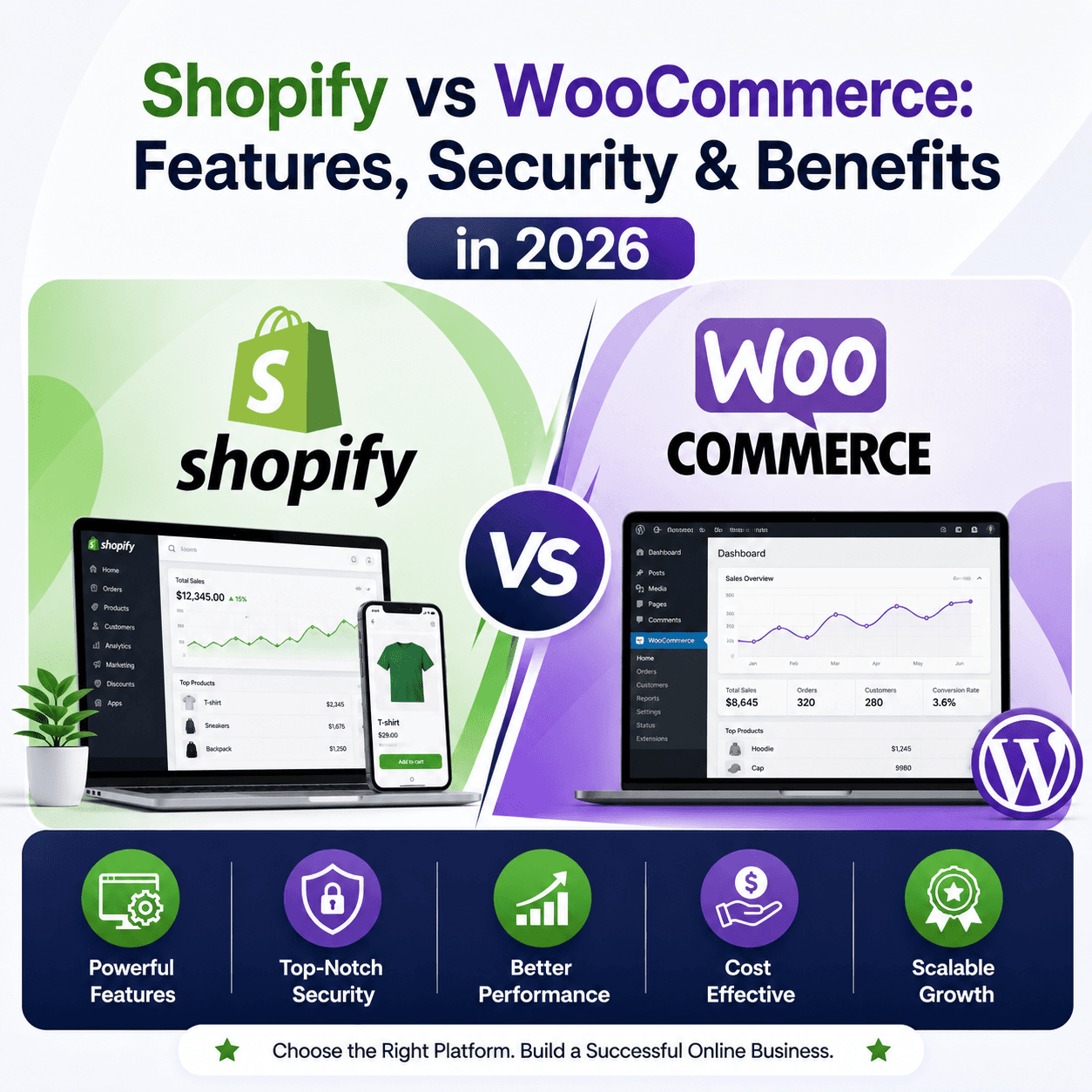
Shopify vs WooCommerce: Features, Security & Benefits in 2026
Posted on
Web Design
Posted at
Why Your Platform Choice Can Make or Break Your Business in 2026
If you're building an online store in 2026, the platform you choose isn't just a technical decision — it's a business one. It shapes how fast you launch, how much you spend, how secure your customers' data is, and how easily you can scale when demand explodes.
The global ecommerce market surpassed $6.3 trillion in 2024 and is expected to grow past $8 trillion by 2027. In markets like India, Southeast Asia, and Africa, mobile-first shoppers are coming online at a pace that no one predicted five years ago. Meanwhile, in established markets like the USA, UK, Canada, and Australia, the competition for online retail share has never been more intense.
Against this backdrop, two platforms have consistently dominated the conversation: Shopify and WooCommerce. Together, they power an estimated 40–45% of all ecommerce websites globally. Shopify is the all-in-one hosted solution that lets you launch in hours. WooCommerce is the open-source powerhouse built on WordPress that gives you total control.
But in 2026, choosing between them is not as simple as "hosted vs self-hosted." Both platforms have evolved dramatically. Shopify has embedded AI across its entire ecosystem with tools like Shopify Magic. WooCommerce has matured into a highly stable, enterprise-capable platform with deep SEO capabilities. AI-powered product recommendations, automated customer service, and generative search engine optimization (GEO) are now table stakes, not nice-to-haves.
This guide is for you if you're an ecommerce founder, a small business owner, a dropshipper, a D2C brand, or someone seriously planning to launch their first online store. We've broken down every major dimension — features, security, pricing, SEO, scalability, and platform fit — so you can make the right call without second-guessing yourself.
What Is Shopify?
Shopify is a fully hosted, all-in-one ecommerce platform founded in 2006 and headquartered in Ottawa, Canada. As of 2026, it powers over 4.6 million online stores across 175+ countries, making it the world's most popular dedicated ecommerce platform by merchant count.
The key word with Shopify is simplicity. You sign up, choose a theme, add your products, connect a payment gateway, and you're selling. You never touch a server, never manage hosting, never worry about security patches. Shopify handles all of that — and charges you a monthly subscription for the privilege.
How Shopify Works
Shopify operates as a software-as-a-service (SaaS) platform. Your store runs on Shopify's cloud infrastructure, which means the company manages everything behind the scenes: uptime, server performance, SSL certificates, backups, and security updates. You access your store through a clean admin dashboard, and your customers interact with a storefront you've designed using Shopify's theme editor or custom code.
Types of Businesses Using Shopify
Shopify's sweet spot has historically been small to mid-sized businesses that want speed and simplicity — think fashion boutiques, artisan goods sellers, beauty brands, and niche consumer products. But increasingly, enterprise brands and high-volume D2C operations are using Shopify Plus, which is the enterprise tier of the platform. Brands like Gymshark, Allbirds, and Heinz have all run successful stores on Shopify.
The Shopify Ecosystem
What makes Shopify genuinely powerful is its ecosystem: over 13,000 apps in the Shopify App Store, a global network of developers and agencies, Shopify Payments for built-in payment processing, and Shopify POS for brick-and-mortar retail. In 2026, Shopify's AI toolset — Shopify Magic and Sidekick — adds AI-powered product descriptions, smart email campaigns, and an AI business assistant that can answer operational questions in plain English.
What Is WooCommerce?
WooCommerce is a free, open-source ecommerce plugin for WordPress, developed by Automattic (the company behind WordPress.com). It transforms any WordPress website into a fully functional online store. As of 2026, WooCommerce powers an estimated 28–30% of all online stores globally, making it the single most widely used ecommerce solution by raw installation count.
The key word with WooCommerce is flexibility. Because WooCommerce is open-source and runs on WordPress, you have total control over every aspect of your store — from the code structure to the hosting provider to the payment gateways to the URL architecture.
How WooCommerce Works
WooCommerce is a plugin you install on a WordPress site. You need your own web hosting (from providers like SiteGround, Kinsta, WP Engine, or Cloudways), a domain name, and a WordPress installation. Once WooCommerce is installed and activated, it adds a product catalog, shopping cart, checkout, and order management system to your WordPress site.
Why Developers Love WooCommerce
WooCommerce gives developers complete access to the codebase. You can override templates, write custom hooks, build unique checkout experiences, and integrate with virtually any third-party system. There's no "walled garden" — you can modify anything. This makes WooCommerce the preferred choice for agencies building custom client stores and for businesses with very specific technical requirements.
Best Use Cases for WooCommerce
WooCommerce excels for businesses that already have a WordPress site, content-heavy businesses that rely on blogging for SEO, businesses that need deep customization, and merchants in regions where Shopify's payment processing is limited. It's also the better choice for businesses that want to avoid the long-term subscription costs of a hosted platform.
Shopify vs WooCommerce: Quick Comparison Table
Feature | Shopify | WooCommerce |
|---|---|---|
Pricing (base) | $39–$399/month | Free plugin (hosting: $10–$100+/month) |
Hosting | Fully included | Self-managed (you choose provider) |
Ease of Use | Very easy, beginner-friendly | Moderate learning curve |
Security | Managed by Shopify | Your responsibility (or host's) |
SEO Capability | Good, improving | Excellent, highly flexible |
Scalability | Excellent | Excellent with right hosting |
Customization | Moderate (via themes/apps) | Unlimited (full code access) |
Themes | 100+ official, thousands third-party | Thousands (WordPress ecosystem) |
Plugins/Apps | 13,000+ Shopify apps | 59,000+ WordPress plugins |
Site Speed | Fast (optimized CDN) | Varies (depends on hosting/setup) |
Maintenance | Handled by Shopify | Your responsibility |
Payment Gateways | 100+ (Shopify Payments built-in) | 100+ (via plugins) |
Customer Support | 24/7 live chat, email, phone | Community forums, documentation |
AI Integrations | Shopify Magic, Sidekick (built-in) | Via third-party plugins |
Best for Beginners | ✅ Yes | ❌ Steeper curve |
Best for Large Business | ✅ Yes (Shopify Plus) | ✅ Yes (with proper setup) |
Blogging | Basic | Excellent (full WordPress) |
Data Ownership | Limited (Shopify controls data) | Full ownership |
Monthly Cost (typical SMB) | $79–$299+ | $30–$100+ (varies widely) |
Shopify Features in 2026
AI-Powered Store Building with Shopify Magic
Shopify has gone all-in on AI. Shopify Magic, first introduced in 2023 and significantly expanded through 2025–2026, lets you generate product descriptions, email marketing copy, FAQs, and blog posts using AI. More importantly, Shopify Sidekick — an AI business assistant embedded in the admin dashboard — can answer operational questions, suggest marketing strategies, analyze store performance, and help you set up discounts or automations in plain English.
For a first-time store owner, this is genuinely transformative. Instead of spending days writing product copy, you can generate and refine it in minutes.
Built-in Hosting, CDN, and 99.99% Uptime
Every Shopify plan includes enterprise-grade hosting with a global CDN (content delivery network). Your store loads fast whether the customer is in New York, London, Mumbai, or Sydney. Shopify maintains a 99.99% uptime SLA — which means less than 53 minutes of downtime per year. During major sales events like Black Friday, Shopify's infrastructure has proven capable of handling millions of transactions simultaneously.
Multi-Channel Selling and Social Commerce
In 2026, ecommerce doesn't live only on your website. Shopify's native integrations with Instagram Shopping, TikTok Shop, Google Shopping, Facebook Shops, Pinterest, and Amazon let you manage all your sales channels from a single dashboard. This is one of Shopify's biggest competitive advantages for D2C brands and lifestyle product sellers.
Shopify POS for Unified Retail
For businesses with physical retail locations — or pop-up markets, trade shows, and in-person events — Shopify POS bridges the gap between online and offline selling. Inventory syncs in real time across your online store and physical locations.
Checkout Optimization
Shopify's one-page checkout, introduced in 2023 and refined further through 2026, is consistently rated as one of the highest-converting checkout experiences available. Shop Pay, Shopify's accelerated checkout option, boasts completion rates up to 91% — significantly higher than the industry average of around 70%.
WooCommerce Features in 2026
Total Customization Freedom
WooCommerce's biggest feature is what it doesn't restrict. You have full access to the PHP code, database, and templates. You can build any checkout flow, any product type, any pricing structure imaginable. This level of freedom is simply not available on Shopify without expensive custom development.
The WordPress Content Ecosystem
WooCommerce runs on WordPress, which means you inherit the world's most powerful content management system. Your product catalog and your blog live under the same roof. This tight integration between content marketing and ecommerce is enormously valuable for SEO — and it's something Shopify has genuinely struggled to match.
59,000+ Plugins and Deep Integrations
WordPress's plugin ecosystem is unmatched. Everything from advanced SEO tools (Rank Math, Yoast SEO) to CRM integrations (HubSpot, Salesforce), from subscription billing (WooCommerce Subscriptions) to complex B2B pricing structures — there's almost certainly a plugin for it. In 2026, a growing number of AI plugins bring ChatGPT-powered chatbots, AI product recommendations, and AI-driven upselling to WooCommerce stores.
SEO Flexibility That Goes Deeper Than Shopify
WooCommerce gives you complete control over URL structures, meta data, schema markup, canonical tags, and site architecture. Combined with Rank Math or Yoast SEO, a WooCommerce store can be optimized to a level of technical precision that Shopify's platform simply doesn't allow. This matters enormously for businesses competing in high-volume, high-competition search niches.
Multi-Language and Multi-Currency Support
WooCommerce's open-source nature means it integrates beautifully with multi-language plugins like WPML and Polylang, making it the better choice for businesses targeting multiple linguistic markets. European businesses in particular tend to favor WooCommerce for its flexibility in handling VAT, multi-currency pricing, and regional compliance requirements.
Developer-Friendly Architecture
WooCommerce follows WordPress coding standards with a hooks and filters system that lets developers modify behavior without touching core files. This makes WooCommerce stores much easier to maintain, upgrade, and hand off to other developers compared to heavily customized Shopify stores.
Shopify Security vs WooCommerce Security: The Full Picture
Security is perhaps the most consequential dimension of the Shopify vs WooCommerce decision — particularly for businesses handling customer payment data. Here's an honest, detailed look at what each platform offers.
SSL Security
Both platforms support SSL certificates. Shopify includes SSL for free on every store, automatically. With WooCommerce, SSL is typically provided by your hosting provider — most quality hosts (SiteGround, Kinsta, WP Engine) include free SSL via Let's Encrypt, but on budget hosting you may need to purchase one or configure it manually.
PCI DSS Compliance
The Payment Card Industry Data Security Standard (PCI DSS) governs how businesses handle cardholder data. Shopify is Level 1 PCI DSS compliant — the highest level — for all stores that use Shopify Payments. This compliance is handled entirely by Shopify, at no extra cost to you.
With WooCommerce, PCI compliance is your responsibility (and your hosting provider's). If you use a reputable payment gateway like Stripe or PayPal that handles card processing off-site, the compliance burden decreases significantly — the gateway handles the sensitive data, not your server. However, your hosting environment, WordPress installation, and plugins still need to meet security standards.
Malware Protection and Security Updates
Shopify manages its entire server infrastructure, meaning malware protection, vulnerability scanning, and security patches are applied automatically by Shopify's security team. As a merchant, you never think about this.
WooCommerce requires proactive maintenance. WordPress core, WooCommerce itself, themes, and plugins all need to be kept updated. A single outdated plugin can become a security vulnerability. According to Sucuri's annual hacked website report, the majority of compromised WordPress sites were running outdated software. This doesn't mean WooCommerce is inherently insecure — it means security requires active attention.
Backup Systems
Shopify maintains its own backups, but notably, Shopify does not provide merchants with easy access to on-demand store backups. You need a third-party app (like Rewind) to create proper backups. With WooCommerce, your hosting provider typically provides daily or hourly backups, and you can supplement this with plugins like UpdraftPlus. Full database and file backups are under your complete control.
Third-Party Plugin Risks
Both platforms have plugin/app ecosystems, and both carry associated risks. A malicious or poorly coded Shopify app can still expose customer data. However, the risk surface is generally larger with WooCommerce because the ecosystem is more open. The WordPress Plugin Repository screens plugins for obvious malware, but the vetting is less strict than Shopify's app review process.
Security Comparison Table
Security Feature | Shopify | WooCommerce |
|---|---|---|
SSL Certificate | Included, automatic | Via host (usually free) |
PCI Compliance | Level 1 (managed by Shopify) | Your responsibility |
Security Updates | Automatic | Manual (your job) |
Malware Scanning | Managed by Shopify | Via hosting or plugins |
DDoS Protection | Built-in | Via hosting/Cloudflare |
Backups | Limited (need third-party app) | Host-managed + plugins |
Fraud Prevention | Built-in (Shopify Protect) | Via plugins (e.g., SFP) |
User Access Control | Staff accounts with permissions | WordPress user roles |
Two-Factor Authentication | Yes | Via plugin |
Server Management | Shopify | You (or your host) |
Why Shopify Is Safer for Beginners
For someone without technical knowledge, Shopify is genuinely safer by default. You don't need to think about security configurations, plugin updates, server vulnerabilities, or backup schedules. Shopify's security team is professional, and the infrastructure is battle-tested at massive scale. A beginner who doesn't maintain a WooCommerce store properly faces real security risks.
Why WooCommerce Can Be Extremely Secure
For technical teams or businesses with a dedicated developer, WooCommerce can be locked down to an extremely high security standard — arguably higher than Shopify, since you control every layer. Use a managed WordPress host (WP Engine, Kinsta), keep all software updated, use a Web Application Firewall (Cloudflare or Sucuri), enable 2FA, and use reputable, actively maintained plugins. A properly maintained WooCommerce store is not a security liability.
Common Ecommerce Security Mistakes
The most common mistakes businesses make regardless of platform include: using weak admin passwords, not enabling two-factor authentication, installing poorly-reviewed plugins or apps, ignoring software updates, not testing backup restoration, and using shared hosting for a store handling significant transaction volumes.
Shopify Benefits
Quick answer: Shopify's biggest benefits are speed of setup, zero maintenance overhead, enterprise-grade infrastructure, and a fully managed security environment — making it ideal for anyone who wants to focus on selling rather than running servers.
Shopify's ease of setup is remarkable. A determined person can go from "I have a business idea" to "my store is live and accepting payments" in under 24 hours — without any coding knowledge. The guided onboarding, clean interface, and Shopify Magic AI tools lower the barrier to launch to nearly zero.
Because hosting, security, performance optimization, and software updates are all handled by Shopify, merchants can focus entirely on what matters: products, marketing, and customers. This is enormously valuable for solo founders and small teams who can't afford to dedicate time to technical maintenance.
Shopify's 24/7 live chat, email, and phone support also provides a safety net that WooCommerce — being community-driven — can't match. When something breaks at 2am on Black Friday, that support access is worth a lot.
For growing businesses, Shopify scales elegantly. Moving from Basic to Shopify to Advanced plans adds features without requiring platform migration. Shopify Plus takes enterprise brands to very high transaction volumes without infrastructure concerns.
WooCommerce Benefits
Quick answer: WooCommerce's biggest benefits are full ownership, unlimited customization, stronger SEO tools, zero platform lock-in, and lower long-term costs for businesses with technical resources.
With WooCommerce, you own your store completely. The code is yours, the data is yours, the hosting relationship is yours. You're never at the mercy of a platform's pricing changes (Shopify has raised prices multiple times) or feature removals. This matters especially for businesses building long-term digital assets.
WooCommerce's SEO potential is deeper than Shopify's. The combination of WordPress's native blogging capabilities, fine-grained URL control, and professional SEO plugins gives WooCommerce stores a meaningful edge in content-driven organic search strategies. For businesses in competitive niches where content marketing is central to growth, this is significant.
The cost structure is also appealing. The WooCommerce plugin itself is free. If you already have WordPress hosting, your additional monthly cost may be minimal. Even with premium plugins and quality managed hosting, many businesses run full-featured WooCommerce stores for $50–$80 per month — compared to $105+ for equivalent Shopify functionality (including the transaction fees Shopify charges if you don't use Shopify Payments).
And the customization ceiling with WooCommerce is essentially unlimited. Any business model, any checkout flow, any product type, any pricing structure — if you can build it in PHP and JavaScript, you can build it with WooCommerce.
Shopify Pros and Cons
Pros | Cons |
|---|---|
Extremely easy to set up and use | Monthly subscription fees add up |
Fully managed hosting and security | Transaction fees if not using Shopify Payments |
24/7 dedicated customer support | Limited blogging capabilities vs WordPress |
Shopify Magic AI tools built-in | Less SEO flexibility than WooCommerce |
Excellent multi-channel selling | Ongoing costs for many premium apps |
Best-in-class checkout conversion | Less control over data and platform |
Scales seamlessly with business growth | Monthly cost increases significantly with volume |
Regular platform updates without effort | Customization can require expensive developers |
Global CDN and 99.99% uptime | Limited URL structure customization |
POS integration for retail stores | Platform dependency (Shopify controls your store) |
WooCommerce Pros and Cons
Pros | Cons |
|---|---|
Free core plugin (significant cost saving) | Requires self-managed hosting |
Unlimited customization potential | Security is your responsibility |
Full data ownership and no vendor lock-in | Requires regular maintenance and updates |
Superior SEO with WordPress and plugins | Steeper learning curve for non-technical users |
Deeper content marketing integration | Performance depends on hosting quality |
59,000+ WordPress plugins available | No built-in 24/7 dedicated support |
Better multi-language support | Costs can escalate with premium plugins |
Total control over codebase | Malware risk if poorly maintained |
Open-source community development | Slower to set up vs Shopify |
Better long-term cost control | Plugin conflicts can cause issues |
Shopify vs WooCommerce Pricing Comparison
Shopify Pricing (2026)
Shopify's pricing structure is transparent but can grow significantly as you add apps and scale. Here's a realistic breakdown:
Starter Plan: $5/month (social selling only, no full storefront)
Basic Plan: $39/month — suitable for new merchants with basic features
Shopify Plan: $105/month — adds professional reports and lower transaction fees
Advanced Plan: $399/month — advanced reporting, third-party calculated shipping
Shopify Plus: Starting at $2,500/month for enterprise
Additionally, if you don't use Shopify Payments, you'll pay a transaction fee of 0.5%–2% on every sale depending on your plan. Premium apps — for subscriptions, reviews, loyalty programs, advanced analytics — can easily add $50–$300+/month.
Real-world Shopify cost example: A mid-size fashion brand on the Shopify plan ($105/month) using five premium apps ($150/month combined) and a premium theme ($350 one-time) might spend $300–$350/month in ongoing costs.
WooCommerce Pricing (2026)
WooCommerce's cost structure is more variable, but can be significantly lower or comparable depending on how it's set up.
WooCommerce plugin: Free
WordPress hosting (managed): $25–$100+/month (Kinsta, WP Engine, SiteGround)
Domain name: ~$15/year
Premium theme: $50–$100 one-time (or free)
Premium plugins: $0–$300+/year depending on needs
SSL: Usually free with hosting
Maintenance: Your time, or $50–$200/month for a developer
Real-world WooCommerce cost example: A similarly sized fashion brand on Kinsta managed hosting ($50/month), with WooCommerce Subscriptions ($199/year), a premium theme ($89), and a few smaller plugins might spend $75–$120/month in ongoing costs.
The Hidden Cost Comparison
The honest answer is that Shopify is more expensive month-to-month but simpler to budget. WooCommerce has a lower baseline cost but unpredictable expenses when you need developer work, hit plugin limitations, or need to upgrade hosting for traffic spikes.
For businesses making over $500K/year in revenue, the transaction fee difference on Shopify (if not using Shopify Payments) can become very significant — potentially $5,000–$15,000/year or more in extra fees.
Shopify SEO vs WooCommerce SEO
The Fundamental Difference
Both platforms support solid SEO. But WooCommerce generally provides deeper SEO flexibility, while Shopify offers simpler, more streamlined SEO management.
Technical SEO
WooCommerce, running on WordPress, gives you complete control over URL structures, canonical tags, hreflang tags, robots.txt, XML sitemaps, and schema markup. With Rank Math or Yoast SEO, you can implement advanced structured data, control meta indexing at a granular level, and build an SEO architecture optimized for any competitive niche.
Shopify has improved significantly — its automatic canonical URLs, clean URL structures, and Google integration are genuinely good. But there are still frustrations: Shopify's URL structure includes mandatory directory prefixes (/products/, /collections/) that can't be removed, and some technical SEO customizations require app purchases.
Blogging and Content Marketing SEO
This is where WooCommerce has a clear, meaningful advantage. WordPress is the world's best content management system. A WooCommerce store can maintain a sophisticated editorial calendar, interlink products and blog content deeply, and build topic clusters that drive organic rankings.
Shopify has a blog feature, but it's basic compared to WordPress. For businesses where content marketing is a major acquisition channel, this matters enormously.
Core Web Vitals and Site Speed
Shopify stores benefit from a globally distributed CDN and optimized server infrastructure — most Shopify stores score well on Core Web Vitals out of the box. WooCommerce stores can achieve excellent or even superior speed scores, but they require proper hosting, image optimization, caching configuration, and a lightweight theme. A poorly configured WooCommerce store will score badly.
AI Search and Generative Engine Optimization (GEO)
In 2026, ranking in AI-powered search experiences — Google AI Overviews, Perplexity, ChatGPT Search, Gemini — requires content that answers questions directly, uses natural language, structures information clearly, and demonstrates genuine expertise (EEAT). Both platforms support this, but WooCommerce's content architecture is better suited to the kind of long-form, deeply structured content that performs well in generative AI search results.
Answer Engine Optimization (AEO)
AEO focuses on crafting content that gets pulled into featured snippets and AI-generated answers. FAQ schema, HowTo schema, and Product schema are all essential. WooCommerce with Rank Math handles schema markup with more granularity; Shopify has improved its schema support significantly but still lags in some advanced areas.
Which Platform Is Better for Beginners?
Short answer: Shopify is significantly easier for beginners.
The learning curve with Shopify is shallow. The dashboard is clean, the setup wizard holds your hand through every step, and Shopify Magic AI handles tasks like writing product descriptions that would intimidate a first-time store owner. You don't need to know what PHP is. You don't need to configure a server. You don't need to research hosting providers.
WooCommerce requires you to understand hosting, WordPress administration, plugin management, and at least basic website troubleshooting. It's not impossible for beginners, but it takes longer to get right, and mistakes (choosing bad hosting, installing conflicting plugins) can cause real problems.
For someone who wants to focus entirely on their products, marketing, and customers from day one, Shopify removes enormous technical friction.
Which Platform Is Better for Large Businesses?
Both platforms support large businesses, but in different ways.
Shopify Plus is a legitimate enterprise solution. It offers customizable checkout experiences, dedicated account management, advanced automation through Shopify Flow, multi-store management, wholesale channels, and a guaranteed high-availability infrastructure. Brands doing $10M–$500M+ in annual revenue run on Shopify Plus. The tradeoff is the cost: starting at $2,500/month.
WooCommerce at scale requires the right technical foundation: a high-performance managed hosting provider (WP Engine Enterprise, Kinsta Enterprise, or Pressidium), a properly optimized database, a robust CDN, and a capable development team. With these in place, WooCommerce handles enormous traffic and transaction volumes — it just requires more infrastructure investment. The benefit is full control over the technical stack and no vendor lock-in.
For international selling specifically, WooCommerce often has an edge: better multi-currency and multi-language support, full control over tax configurations for different jurisdictions, and no dependency on Shopify's geographic availability for payment processing.
Shopify vs WooCommerce for Different Business Types
Small Businesses
For a local bakery or boutique launching their first online store, Shopify is almost always the right call. The speed of setup, ease of management, and Shopify's built-in tools for email marketing and analytics give small businesses a running start without requiring technical expertise.
Startups
Startups vary wildly. A tech-savvy startup team building a complex marketplace or subscription business often chooses WooCommerce for its customization depth. A product startup that needs to launch fast and validate a market might choose Shopify to reduce time-to-market.
Dropshipping
Shopify is the dominant platform for dropshipping, partly because of its deep integrations with dropshipping apps like DSers, AutoDS, and Zendrop. The ecosystem is built for dropshipping in a way WooCommerce's isn't, though WooCommerce does support it via plugins.
Fashion Brands
Fashion brands tend to love Shopify for its strong visual theme options, social commerce integrations, and smooth checkout experience. High-fashion brands with complex customization needs (made-to-order, size customization, style guides) sometimes prefer WooCommerce.
Digital Products
WooCommerce is excellent for digital products (ebooks, courses, software downloads) thanks to fine-grained access control and licensing plugins. Shopify is also competent here but the ecosystem for digital products is stronger on WooCommerce.
B2B Ecommerce
WooCommerce is generally stronger for B2B ecommerce: tiered pricing, custom wholesale catalogs, quote request flows, purchase order support, and net-terms invoicing are all achievable with plugins. Shopify Plus has B2B features, but they're more limited and more expensive.
Subscription Businesses
Both platforms support subscription models. WooCommerce Subscriptions is a mature, powerful plugin. Shopify's subscription APIs and apps like Recharge are also solid. The choice often comes down to other platform preferences.
Local Businesses
For a local business adding an online presence to complement their physical store, Shopify's POS integration and ease of use make it a compelling option. WooCommerce is also viable, particularly if the business already has a WordPress website.
AI and Ecommerce in 2026
Artificial intelligence has moved from experimental feature to essential infrastructure in ecommerce. Here's how both platforms fit into the AI-powered ecommerce landscape.
AI Product Recommendations drive significant conversion rate improvements — typically 10–35% increases in average order value according to multiple platform studies. Shopify's built-in recommendation system and AI-powered search (powered by Shopify Search & Discovery) are solid. WooCommerce stores implement this through plugins like Clerk.io or Barilliance.
AI Customer Support through chatbots and automated response systems is now expected by online shoppers. Shopify's Sidekick is primarily a merchant-facing tool, but the app ecosystem includes strong AI chatbot solutions for customers. WooCommerce integrates with tools like Tidio, Gorgias, and Zendesk via plugins.
AI Content Generation — product descriptions, email campaigns, ad copy — is embedded directly in Shopify Magic and available via plugins on WooCommerce (Rank Math's Content AI, SEOPress, and others).
AI Analytics and Forecasting help merchants predict demand, identify customer churn risk, and optimize pricing. Shopify Analytics has strong built-in AI-driven insights for higher-tier plans. WooCommerce connects with dedicated analytics platforms like Triple Whale or Metorik.
Generative Search Optimization is the new frontier. Stores that structure their content clearly, answer questions directly, and demonstrate product expertise are winning visibility in AI-powered search results (Google AI Overviews, Perplexity, ChatGPT). Both platforms support this, but WooCommerce's deeper content management capabilities offer more surface area for GEO optimization.
Common Mistakes to Avoid When Choosing an Ecommerce Platform
Choosing on price alone. The cheapest option isn't always the most cost-effective. A poorly chosen platform that doesn't scale, requires expensive developer intervention, or creates security vulnerabilities will cost far more in the long run than a slightly higher monthly subscription.
Overestimating your technical capacity. Many first-time store owners choose WooCommerce attracted by its lower cost and flexibility, then discover they don't have the time or skills to maintain it properly. Be honest about your technical resources.
Underestimating future customization needs. Businesses often start simple and gradually need more complex features. Shopify's customization limits can become frustrating as stores mature. Consider where your business will be in three years.
Ignoring total cost of ownership. Factor in apps, plugins, developer costs, hosting upgrades, and transaction fees over a 3-year period — not just the monthly subscription.
Not planning for migration complexity. Switching platforms is painful, expensive, and disruptive. Make the right decision now rather than facing a major migration later.
Neglecting security basics. Regardless of platform, install SSL, use strong unique passwords, enable 2FA, keep software updated, and test your backup restoration process regularly.
Expert Recommendation
Choose Shopify When:
You're launching your first store and want to be selling within days rather than weeks. Your team lacks technical resources for server management and WordPress maintenance. You're building a straightforward product catalog — physical goods, direct-to-consumer products, dropshipping, lifestyle brands. You want professional, managed security without thinking about it. You plan to sell across multiple channels (Instagram, TikTok, Amazon) from day one. You value 24/7 dedicated support. Your revenue is growing rapidly and you want infrastructure that scales without technical overhead.
Choose WooCommerce When:
You already have a WordPress website and want to add ecommerce. Content marketing and SEO are central to your growth strategy. You need deep customization — complex pricing rules, unique checkout flows, advanced product configurations. You want full data ownership and no vendor lock-in. You have access to a WordPress developer. You're building a B2B store, a subscription business, or a digital products marketplace. You want to maximize long-term cost efficiency and are willing to invest time in proper setup.
Businesses That Should Think Carefully Before Choosing Shopify:
Content-heavy businesses that rely on detailed editorial blogging. Businesses with highly specific customization requirements that Shopify's platform can't accommodate. High-volume merchants who don't use Shopify Payments and are sensitive to transaction fees.
Businesses That Should Think Carefully Before Choosing WooCommerce:
Non-technical solo founders with no development resources. Businesses that need to launch in days, not weeks. Businesses that have experienced security incidents and want a fully managed solution.
Final Verdict
In 2026, Shopify and WooCommerce are both excellent platforms — but they serve genuinely different types of businesses.
Shopify wins on ease of use, managed security, speed of launch, multi-channel selling, AI tooling, and support quality. It's the right choice for the majority of first-time ecommerce entrepreneurs and for brands that want to scale quickly without building a technical team.
WooCommerce wins on customization depth, SEO flexibility, long-term cost efficiency, data ownership, content marketing integration, and developer control. It's the right choice for technical teams, content-driven businesses, and anyone who needs a platform that bends completely to their requirements.
Neither platform is objectively "better." The better question is: which platform is better for your specific business, team, and growth plan?
If you're a non-technical founder launching a consumer product brand: go Shopify.
If you're a developer-led team building a content-driven store in a competitive niche: go WooCommerce.
Both will let you build a thriving online business in 2026. The difference is how much technical work you're willing to do — and how much flexibility you need.
Frequently Asked Questions (FAQs)
Is Shopify safer than WooCommerce? Shopify is safer by default, especially for non-technical users. It provides Level 1 PCI compliance, automatic security updates, managed hosting, and built-in malware protection with no action required from you. WooCommerce can be equally secure — or more so — but only with proper configuration: managed hosting, regular updates, security plugins, and active maintenance. For beginners, Shopify's managed security model significantly reduces risk.
Which platform is easier for beginners?
Shopify is significantly easier for beginners. It has a clean dashboard, a guided setup process, AI tools to help with product descriptions, and no requirement to manage hosting or software updates. WooCommerce requires setting up WordPress, choosing and configuring hosting, and managing ongoing maintenance — which adds complexity for those without technical experience.
Is WooCommerce cheaper than Shopify?
WooCommerce's base cost is lower — the plugin itself is free, and you can run a basic store for $30–$60/month including hosting. However, premium plugins, developer costs, and hosting upgrades can raise this significantly. Shopify's pricing is higher but more predictable. Over a 3-year period with comparable features, costs often converge — especially if you factor in Shopify's transaction fees.
Which platform is better for SEO?
WooCommerce is generally better for SEO, particularly for technical SEO and content marketing. Full control over URL structures, deep schema markup capabilities, advanced SEO plugins (Rank Math, Yoast), and WordPress's blogging engine give WooCommerce an edge in organic search. Shopify's SEO has improved considerably, but it still has limitations around URL customization and advanced technical SEO that frustrate serious SEO practitioners.
Can WooCommerce handle large traffic volumes?
Yes, absolutely — but the hosting environment matters enormously. WooCommerce stores on enterprise-grade managed WordPress hosting (Kinsta, WP Engine, Nexcess) can handle hundreds of thousands of simultaneous visitors. The platform itself is not the bottleneck; under-resourced hosting is. Shopify handles traffic scaling automatically, which is an advantage for merchants who don't want to manage infrastructure.
Does Shopify include hosting?
Yes. Every Shopify plan includes fully managed cloud hosting with a global CDN, unlimited bandwidth, automatic security updates, and a 99.99% uptime guarantee. You don't need to purchase or configure hosting separately. This is one of Shopify's most significant advantages over WooCommerce.
Which platform is better for dropshipping?
Shopify is generally better for dropshipping. Its ecosystem of dropshipping apps (DSers for AliExpress, AutoDS, Zendrop, Spocket) is more mature and better integrated than the WooCommerce equivalents. Shopify's automated order fulfillment workflows and multi-channel selling also suit the dropshipping model well.
Is WooCommerce secure for accepting payments?
Yes, WooCommerce is secure for payment processing when set up correctly. Using a reputable payment gateway like Stripe or PayPal Checkout means sensitive card data never touches your server — the gateway handles it. Your responsibility is to keep WordPress, WooCommerce, and all plugins updated, use a secure hosting environment, and implement an SSL certificate. With proper setup, WooCommerce payment security is solid.
Which platform loads faster?
Out of the box, Shopify stores typically load faster because of the built-in CDN and optimized infrastructure. However, a properly optimized WooCommerce store on managed hosting (with caching, image optimization, and a lightweight theme) can match or beat Shopify's performance. The difference is that Shopify's speed is automatic, while WooCommerce's speed requires deliberate optimization.
Can I migrate from WooCommerce to Shopify (or vice versa)?
Yes, migration between platforms is possible but involves real work. Products, customers, and orders can be migrated using dedicated tools (Cart2Cart, LitExtension, or the built-in import tools). The challenges involve SEO preservation (maintaining URL redirects to protect rankings), theme rebuilding, app/plugin reconfiguration, and thorough testing. Budget time and potentially developer costs for a migration. Plan redirect strategies carefully to minimize impact on search rankings.
Which platform is better for subscription businesses?
Both platforms support subscription models well. WooCommerce Subscriptions ($249/year) is a mature, highly customizable plugin that handles recurring billing, pauses, upgrades, and downgrades with fine-grained control. Shopify works with subscription apps like Recharge and Bold Subscriptions, which are also solid. WooCommerce has a slight edge for complex subscription models; Shopify is easier to set up.
Does Shopify charge transaction fees?
Shopify charges transaction fees of 2% (Basic), 1% (Shopify plan), or 0.5% (Advanced plan) on each sale if you use a third-party payment gateway instead of Shopify Payments. These fees are waived if you use Shopify Payments, which is available in most major markets. For high-volume merchants not using Shopify Payments, these fees represent a significant cost.
Is WooCommerce good for beginners with no coding experience?
WooCommerce is manageable for motivated beginners who are willing to spend time learning WordPress basics, but it's not as forgiving as Shopify. You'll need to research hosting, understand basic WordPress administration, and know how to troubleshoot plugin conflicts. There are many tutorials and a strong community. However, if the idea of managing a WordPress site feels daunting, Shopify is the more accessible starting point.
Which platform has better customer support?
Shopify has significantly better structured customer support: 24/7 live chat, email, and phone support are included on paid plans. WooCommerce's support is primarily community-driven — forums, documentation, and individual plugin developers. Premium hosting providers often offer strong WordPress support that partially fills the gap, but it's not as comprehensive as Shopify's dedicated support.
What's the best ecommerce platform for small businesses in 2026?
For most small businesses, Shopify offers the best combination of ease of use, professional features, security, and growth potential. It lets small business owners focus on running their business rather than managing technology. WooCommerce is the better choice for small businesses with existing WordPress expertise, content-heavy operations, or budget constraints that make monthly subscription fees a meaningful consideration.
Ready to launch your online store? Whether you choose Shopify or WooCommerce, the best platform is the one you'll actually use consistently, maintain properly, and grow into over the next three to five years. Start with your business needs, your technical resources, and your long-term goals — and let those guide the decision.